Kaimono
https://p0r6iz89.cloud
Github
Have you ever felt this in everyday life?
Tracking each expense is tedious, the total is hard to understand, and the more options you collect, the harder it becomes to decide.
To address that problem, I built Kaimono, a localized web application for shopping planning, budget visibility, and collaboration.
Recruiter Snapshot
- Problem: As shopping options grow, the total cost and the next priority become harder to understand.
- My Role: Sole owner of product planning, requirements, UX, frontend, backend, database design, testing, deployment, and iteration.
- Frontend Decisions: Used App Router and Server Actions to build responsive flows, clear form states, and navigation that works across three languages.
- Backend & Data: Implemented server-side authorization, input validation with Server Actions and Zod, and data modeling with Prisma/PostgreSQL.
- Architecture: Subdomain-based multi-tenancy with Auth.js, RBAC, and tenant isolation through Prisma/PostgreSQL.
- Current Status: Deployed and actively developed, with invitations, sharing, budgets, comments, and likes implemented.
- What I Learned: Authentication, locale routing, and subdomains must be designed together with server authorization and database constraints.
Project Overview
- Project type: Personal SaaS / portfolio project
- Role: Solo full-stack engineer
- Stage: Active development
- Core focus: multi-tenant architecture, secure authentication, collaboration, and i18n-aware routing
- Stack snapshot: Next.js 15, React 19, TypeScript, Prisma 6, PostgreSQL, Auth.js, Tailwind CSS, and Zod
Current Implementation
- Subdomain-based workspaces with tenant data isolation
- Role-based access for OWNER, ADMIN, and MEMBER
- Essentials, planned purchases, and project-based budget organization
- Workspace invitations, comments, likes, and member management
- Product information extraction from public URLs
- Optional TOTP two-factor authentication and recovery codes
- Authenticated contact support with abuse protection
- English, Japanese, and Portuguese localization
- Prisma schema with 16 models and 5 enums
- Vercel deployment with PostgreSQL migrations
Interface Highlights
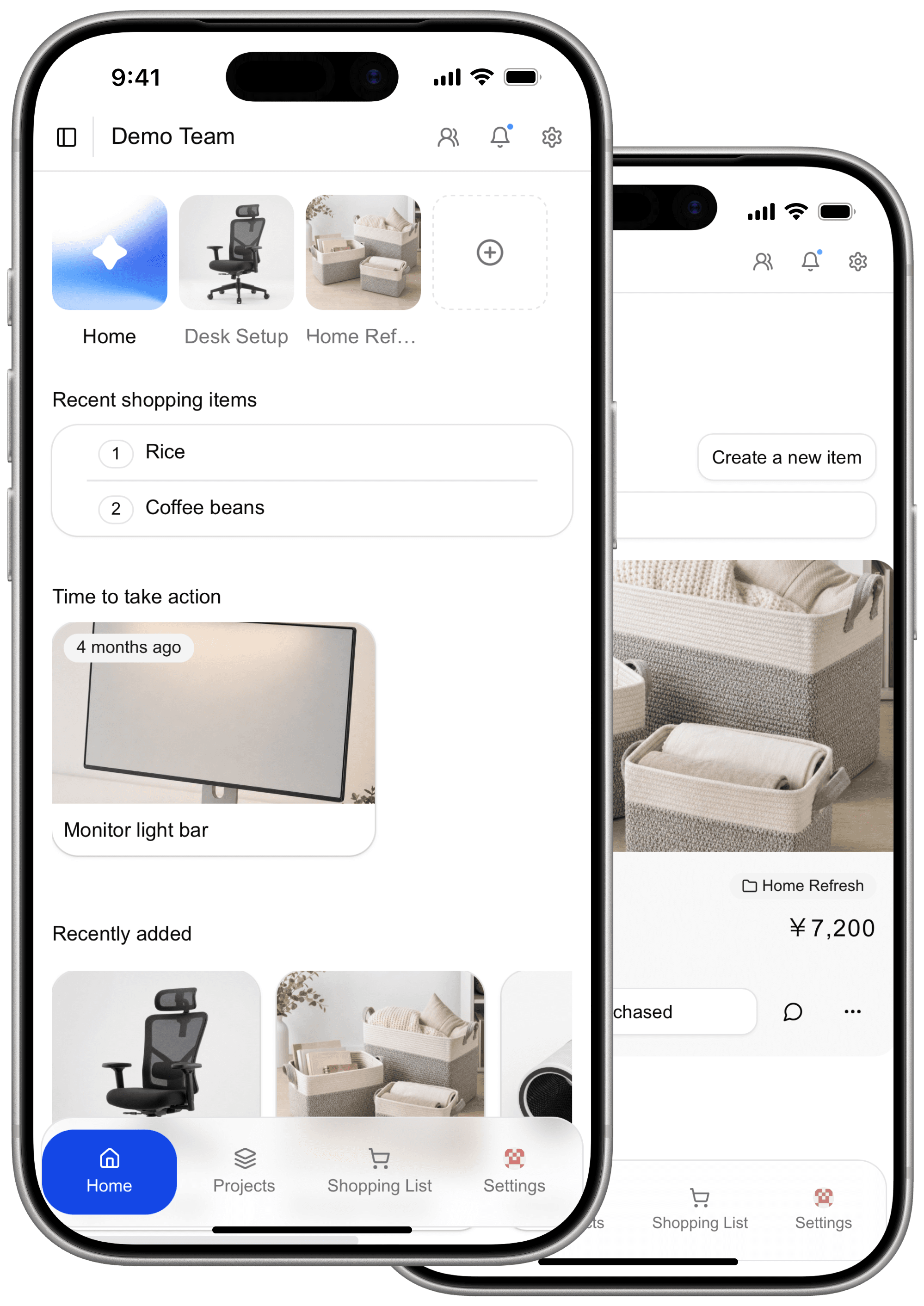
A mobile-first workspace that brings projects and shopping lists into one view.
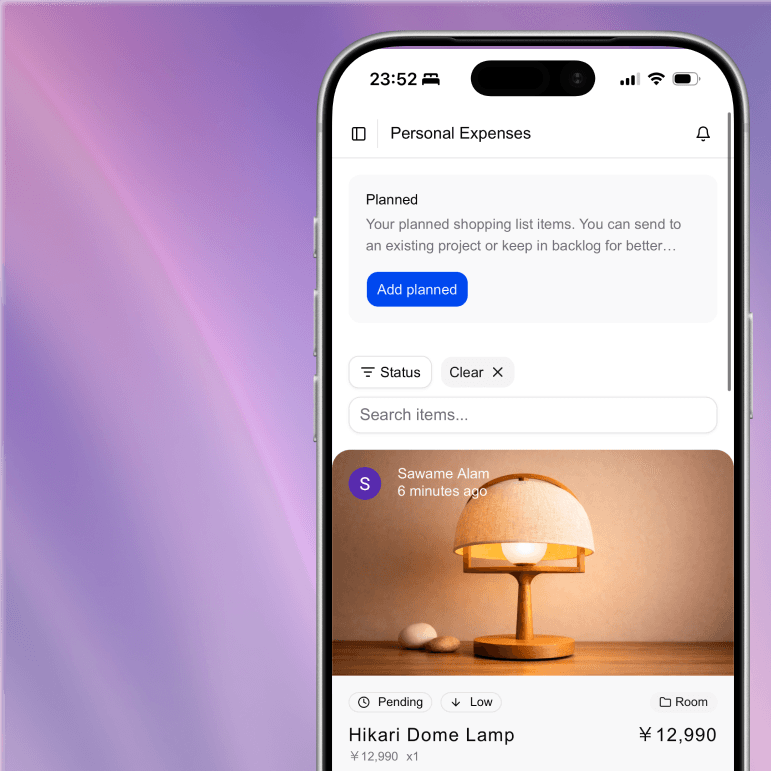
Search, status, priority, and budget context for planned purchases.

A localized authentication flow supporting Google, GitHub, and email.
Main Workflows
Essentials
Essentials are lightweight shopping-list items for recurring or immediate needs. A workspace can track title, price, quantity, and purchase status while keeping pending expenses visible.
Planned Purchases
Planned purchases hold richer information for items that need comparison or budgeting before purchase, including priority, product URL, image, description, comments, likes, and an optional project.
Projects
Projects group planned purchases around a goal and make the combined budget easier to understand. For example, a room-renovation workspace can organize lighting, furniture, and decoration options in one place.
Collaboration
Workspace owners and administrators can invite members by email. Membership and tenant checks are enforced on the server so records cannot be moved or accessed across workspaces.
AI-Assisted Product Input
Instead of entering every field manually, a user can submit a public product URL. Kaimono reads structured product metadata, normalizes useful text with AI, and imports a valid product image when available.
The extraction route includes URL safety checks, redirect and response limits, timeouts, and usage limits that prevent unlimited extraction requests.
Authentication and Account Security
Kaimono supports GitHub, Google, and email magic-link sign-in through Auth.js. Users can optionally enable TOTP two-factor authentication from account settings.
The setup flow generates a QR code for an authenticator app and provides single-use recovery codes. Enabled accounts must complete the second-factor challenge before accessing protected workspace routes.
Workspace Routing
Kaimono uses workspace subdomains in production:
workspace.p0r6iz89.cloud
workspaceidentifies the tenantp0r6iz89.cloudis the root domain
The middleware combines locale handling, authentication checks, two-factor enforcement, and workspace routing:
- Normalize requests to a supported locale route.
- Redirect unauthenticated users away from protected pages.
- Require the second-factor challenge when it is enabled.
- Extract the workspace subdomain from the request host.
- Rewrite the request internally to
/{locale}/s/{subdomain}.
middleware.ts Request Flow
This keeps the public URL simple while the application maintains one localized App Router route tree.
Engineering Decisions
I chose Server Actions and Prisma so page-level workflows can share typed validation and database access without maintaining a separate REST layer for every form.
All tenant-owned operations resolve the authenticated user and workspace membership on the server. Zod validates mutation input, while compound database relations prevent planned purchases from being assigned to projects in another workspace.
The most challenging part has been making authentication, locale routing, and workspace subdomains behave as one system. Implementing those boundaries directly gave me practical experience with host-based routing, authorization, secure URL processing, and stateful authentication flows.
Open Source and Local Setup
Kaimono can be run locally with npm and Docker:
npm install
docker compose up -d db
npx prisma migrate dev
npm run dev
Links:
- Live app: https://p0r6iz89.cloud
- Repository: https://github.com/P0R6IZ89/Kaimono
Local URLs:
- Main app:
http://localhost:3000/en - Workspace app:
http://workspace.localhost:3000/en
Docker Compose starts PostgreSQL, while the Next.js application runs with npm run dev.